The airlock, step by step
On an intake host: pull a model at a pinned commit, scan it with the provenance the pull recorded, sign the report, accept any untested gap, and promote it into the clean store that your GPU servers mount read-only. Then the console shows the store.
The round trip
1. Create the store, on a volume with room
A model is written twice at its peak: a scan copies it into a private snapshot, and a promotion copies it into clean/. Put the scan snapshot on the store’s volume.
export SOCAIR_STORE=/srv/socair/store
export SOCAIR_SCAN_TMP=/srv/socair/scan
socair airlock init "$SOCAIR_STORE"
mkdir -p "$SOCAIR_SCAN_TMP"
2. Create the two keys
The operator key signs reports; keep its private half off the intake host if you can, since the store needs only the public key. The acceptor key belongs to your security reviewer, and the airlock refuses a self-accepted attestation.
socair key gen --out operator --issuer "Acme ML Platform"   # operator.key (mode 0600), operator.pub
socair airlock trust add operator.pub --name "Acme ML Platform"
socair key gen --out ciso --issuer "Security review"        # held by the reviewer
socair airlock trust add --acceptor ciso.pub
3. Pull it, pinned to a commit
Take the full commit from the model’s page on the hub; a branch name alone is refused. The pull fetches the whole repository at that commit, or one file by its expected SHA-256, verifies every file against the hub’s own hash, and prints the scan command to run next. --include and --exclude narrow it to the files the serving stack loads, and the report names every file left out.
socair airlock pull --repo Qwen/Qwen2.5-7B-Instruct --revision <40-hex commit>4. Scan it, with the provenance the pull recorded
<id> is the artifact’s hash for a single file, or the manifest digest for a whole repository; the pull prints the exact paths. Written into the staging entry, the report is what the console shows.
E=$SOCAIR_STORE/incoming/<id>          # the staging entry
export SOCAIR_PROVENANCE=$E/provenance.json
socair scan   $E/<name> > $E/report.json
socair render $E/<name> > report.html   # the same checks, for a person to read
5. Sign it
socair sign --key operator.key --report $E/report.json # $E/report.dsse.json6. Act on the promotion state
Only an attestation that authorizes promotion, signed by a key the store trusts, for this artifact’s own hash, moves it into the clean store, and the bytes are hashed again as they cross.
Authorized (every row PASS): promote it.
socair airlock promote $E/<name> --attestation $E/report.dsse.jsonWithheld, with NOT_TESTED rows only: the reviewer reads the signed report and, if they accept those gaps, signs an acceptance of exactly them, with an expiry. The operator re-issues the attestation with the acceptance inside it, and that one promotes as authorized with conditions.
socair accept --attestation $E/report.dsse.json --key ciso.key --by "Jane Doe, CISO" \
  --expires <RFC 3339 time> --store "$SOCAIR_STORE"                 # $E/report.acceptance.dsse.json
socair sign --key operator.key --attestation $E/report.dsse.json \
  --acceptance $E/report.acceptance.dsse.json --store "$SOCAIR_STORE" # $E/report.conditional.dsse.json
socair airlock promote $E/<name> --attestation $E/report.conditional.dsse.json
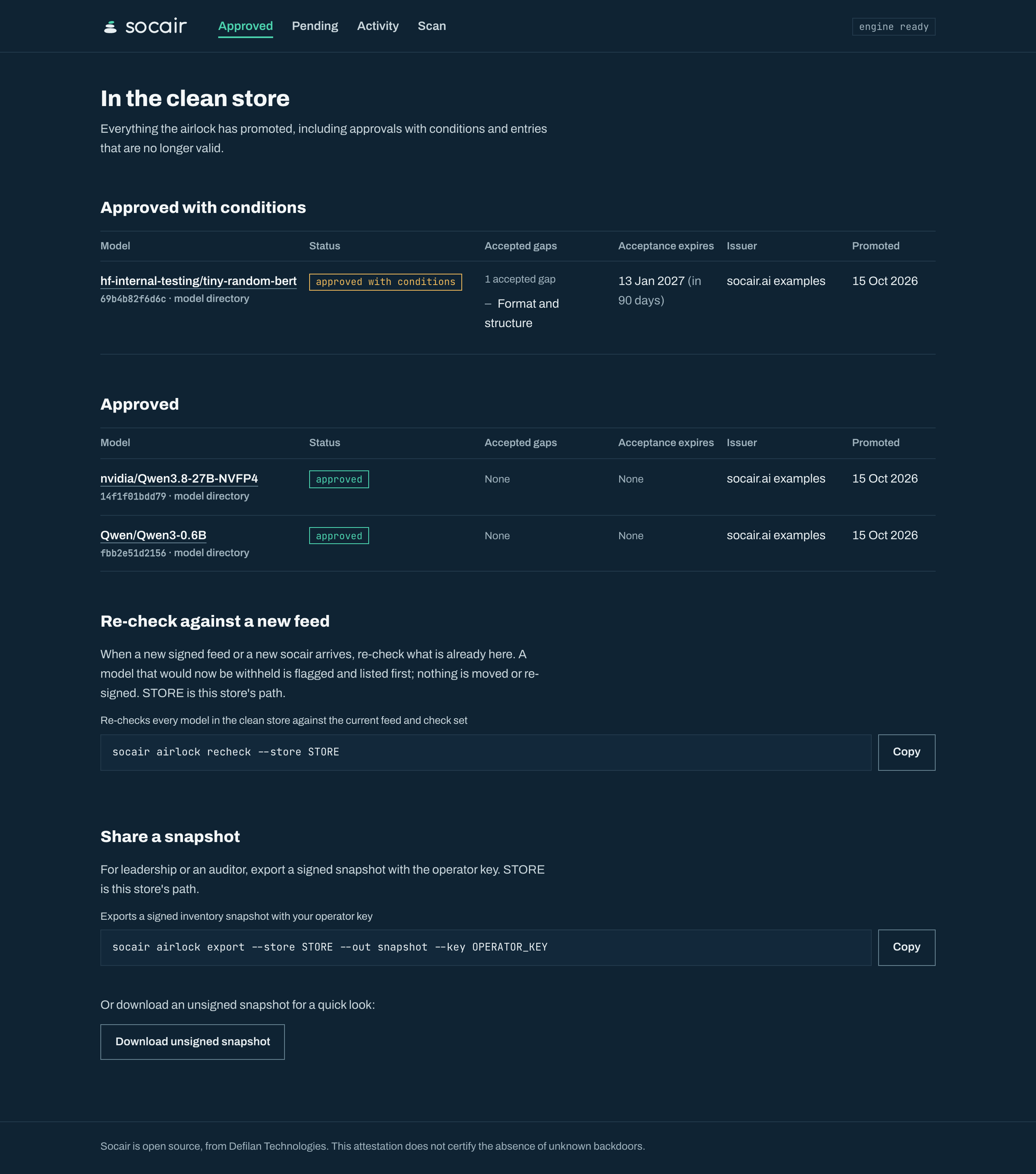
--expires may not be later than the report’s header.rescan_due, which is the scan time plus 90 days unless SOCAIR_RESCAN_DAYS set another number: jq -r .header.rescan_due $E/report.json. accept and sign --acceptance read the store only from --store, not from SOCAIR_STORE. A conditional promotion carries its accepted gaps with it, so “in the clean store” never means “clean” on its own: the console lists every model with its state.
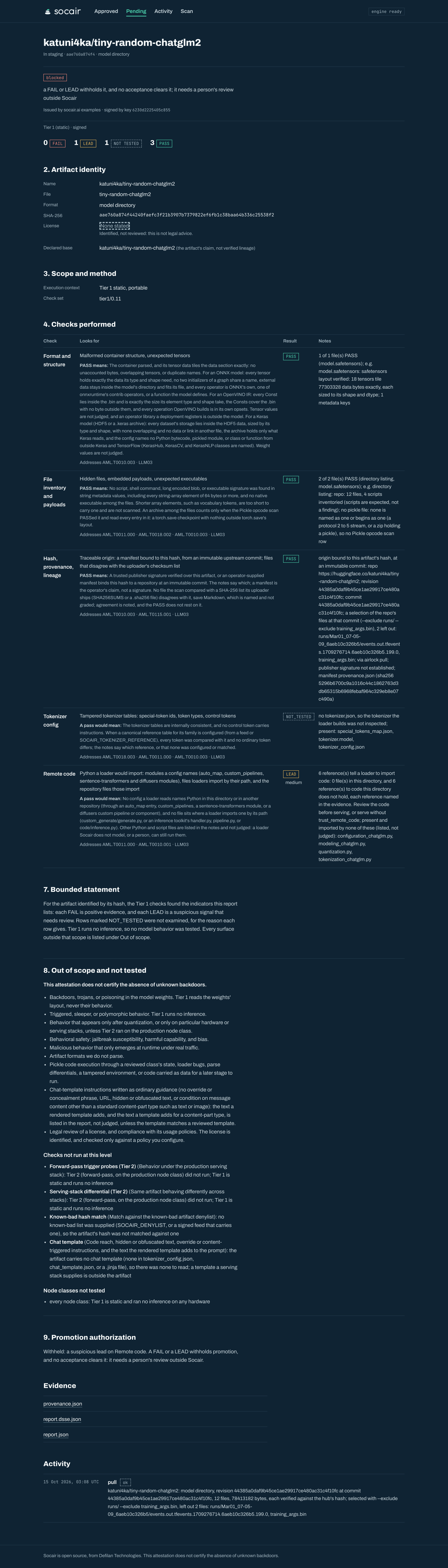
Withheld, with a FAIL or a LEAD: stop. The airlock will not promote it, no acceptance clears it, and Socair has no other path that does. A FAIL carries its evidence; a LEAD needs a person to review it outside Socair. A model whose config.json has an auto_map entry ends here, at a Remote code LEAD.
7. Keep the record
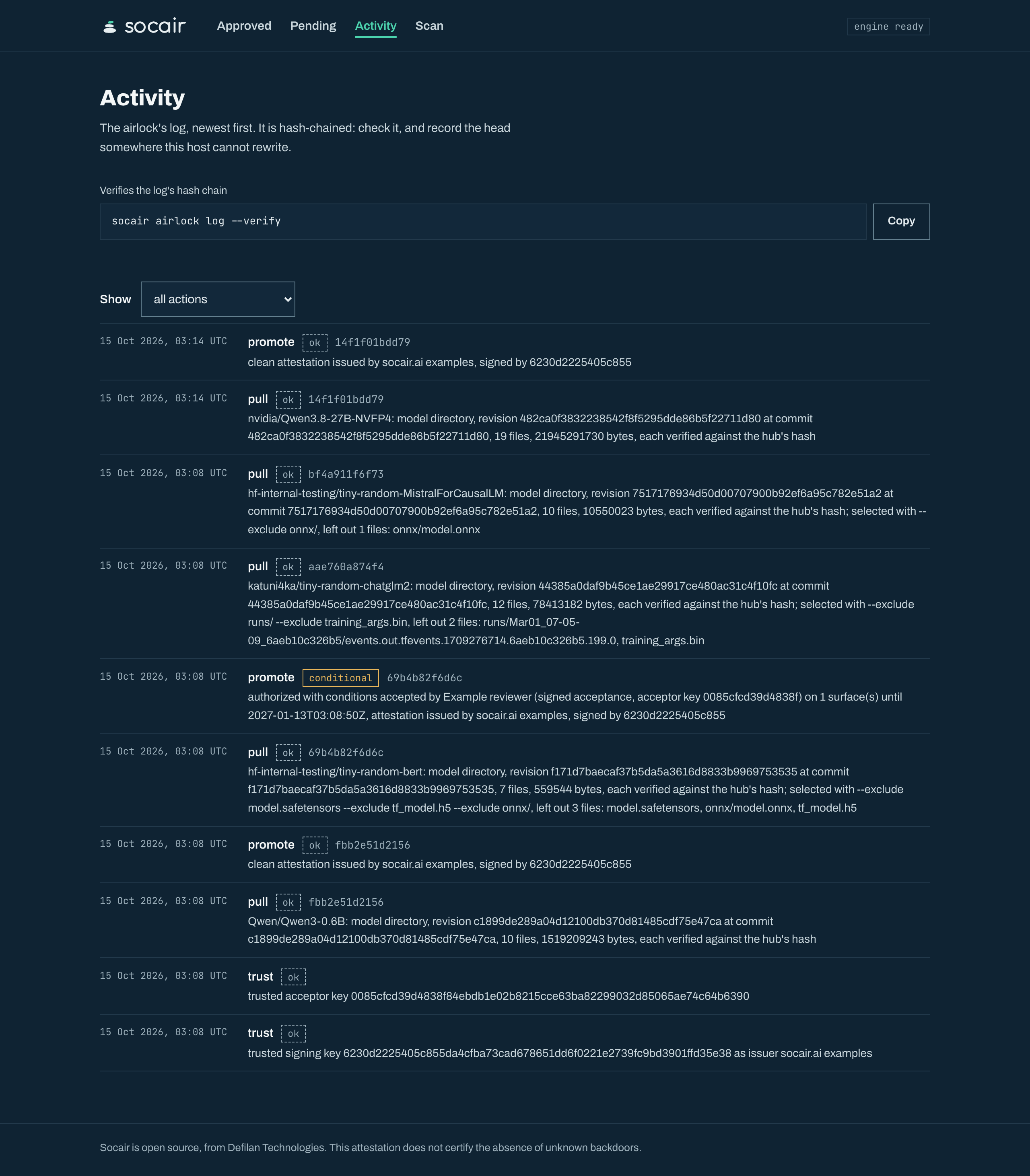
Every pull, promotion, and refusal is appended to a hash-chained log, so the chain shows a careless edit. Record its head somewhere the intake host cannot rewrite, such as a ticket or a change record, and a rewrite of anything up to that head shows too: check against it later with --expect-head <head>.
socair airlock log --verify # prints the headServe from clean/<sha256>/<file>, or clean/<digest>/<name>/ for a whole repository, mounted read-only, or over the Hugging Face Hub API with socair airlock serve-hub, which serves only what the store admits now (the hub endpoint). The full setup, including the export and file permissions, is in running Socair as your model intake host, and every command is in the airlock reference.
8. Recheck what is already in the clean store
A promoted model’s attestation reflects the reference data and the check set of its scan. A hash added to a known-bad list next month does not touch it. recheck matches every clean model against the current feed and denylist, rescans one whose check set is not this socair’s, and flags the ones that would now be withheld. It moves, deletes, and re-signs nothing, and it runs only when someone runs it.
socair airlock recheck              # every clean model, against today's feed and denylist
socair airlock recheck --rescan     # and every clean model's bytes scanned again
The console
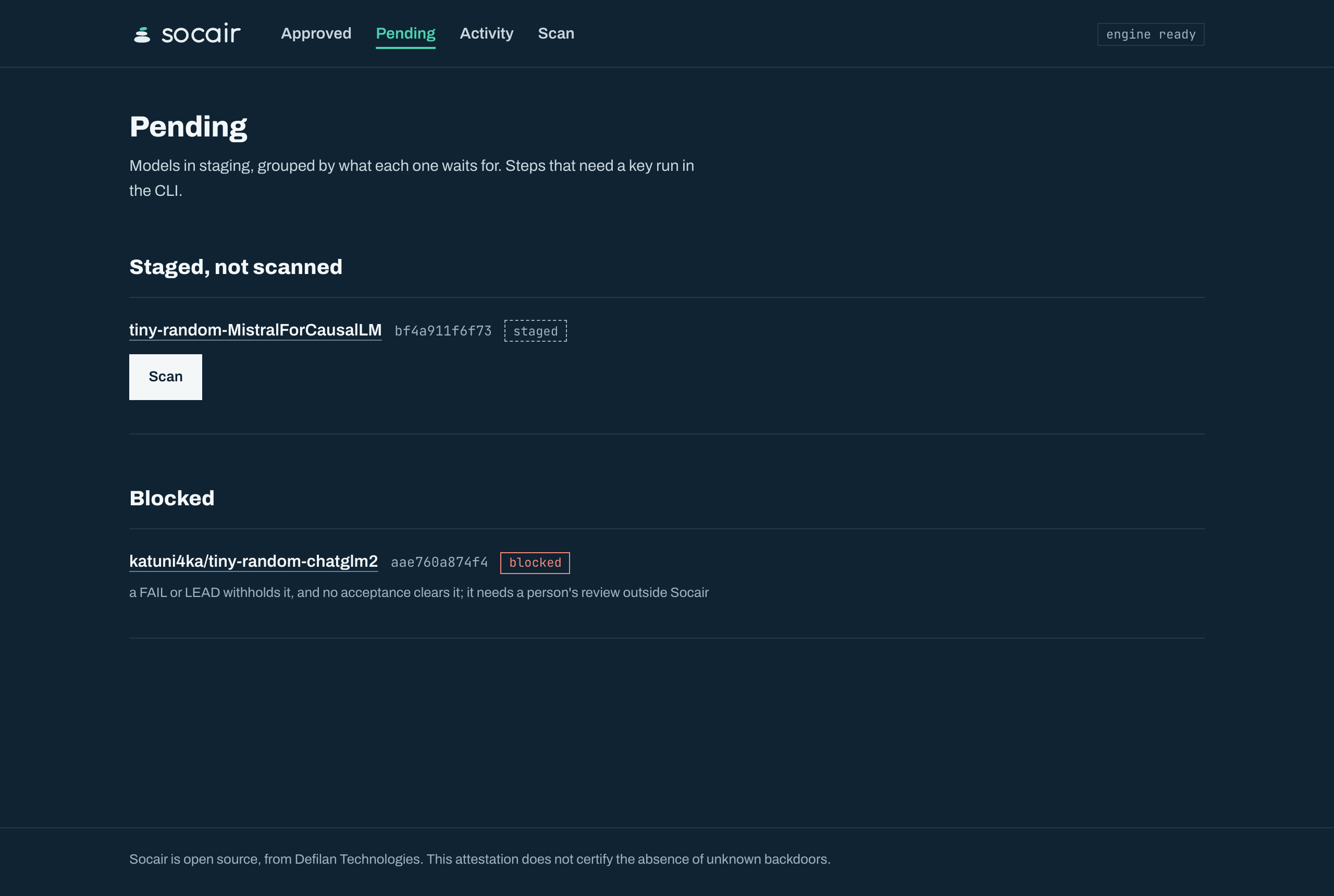
socair serve shows the store in a browser: what is staged, what is approved, and what each model waits for. It scans a staged model and files a signed attestation, and for any step that needs a key it prints the exact command to copy: it never holds a private key. See the console and wizard.
In a checkout, scripts/demo-console.sh builds socair and the console, pulls four small public models from Hugging Face (about 1.6 GB), and takes each to a different stage: approved, approved with a signed acceptance, blocked on remote code, and staged for a scan. It makes its own demo keys and store under ~/socair-demo, and needs go, npm, curl, and jq. Then serve it, and open http://127.0.0.1:8080:
git clone https://github.com/defilantech/socair && cd socair
scripts/demo-console.sh
~/socair-demo/bin/socair serve --store ~/socair-demo/store --web web/build
For your own store, build the console once and serve it on the intake host:
cd web && npm ci && npm run build && cd ..
socair serve --store "$SOCAIR_STORE" --web web/build
These are screenshots of the real console, serving the store behind the reports on this site.
The blocked model has a page of its own: its report, evidence, and log in the console (a tall screenshot).